Question types
The different kinds of questions, and why each one makes AI help less useful.
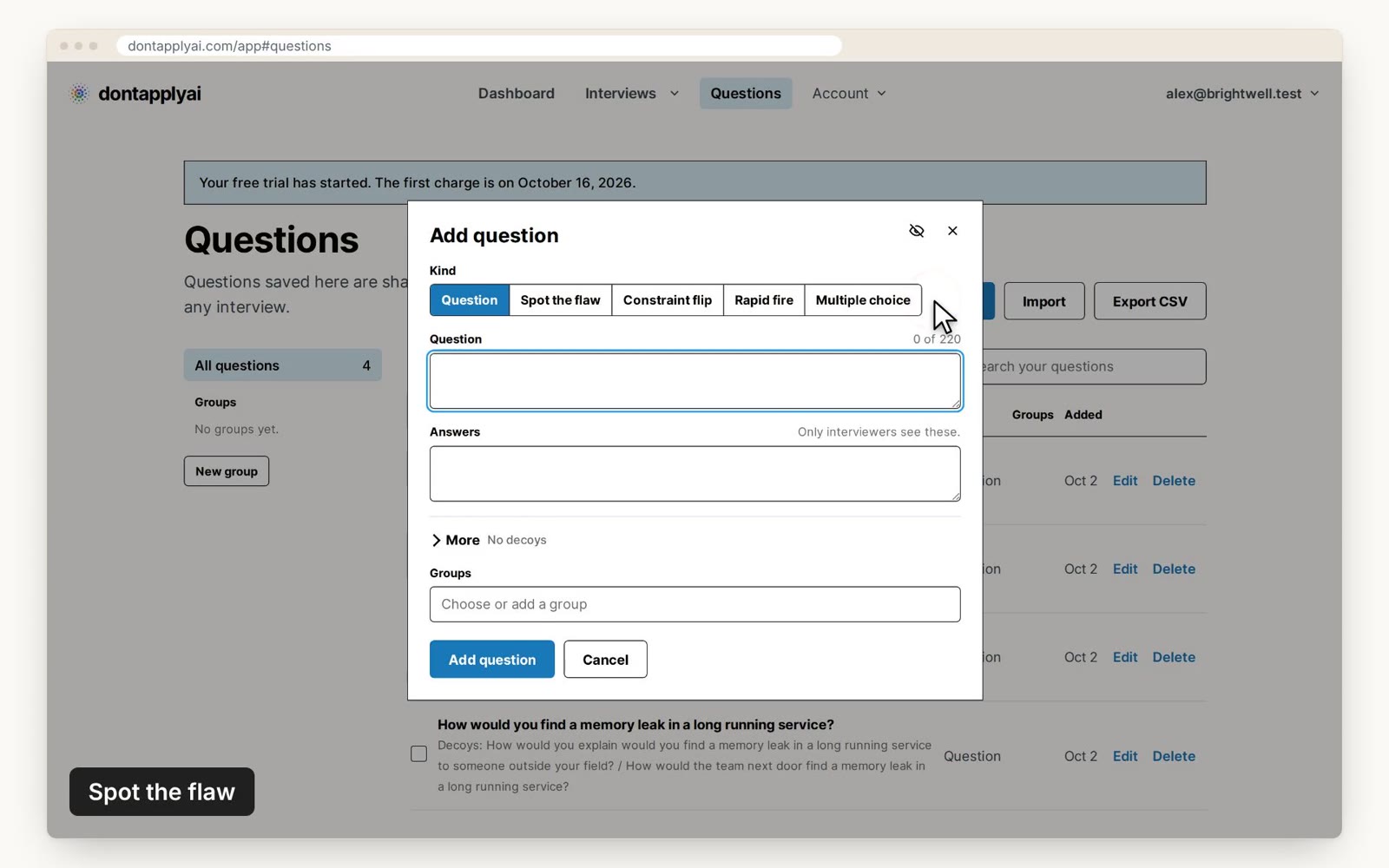
In this video guide
Spot the flaw
Write a short scenario, plan or piece of code with one deliberate mistake, and ask your candidate to find it. An AI tool that can't read the slide usually talks about the topic in general instead.
Constraint flip
Ask a problem, then ask it again with one detail changed, either as the next question or as a follow-up. A candidate who understood their first answer can adjust it quickly, while someone reading out an AI answer usually has to start over.
Rapid fire
Ask short questions one after another, with Time each question turned on and a short time for each. There's usually no time to read the screen, ask an AI tool and repeat its answer.
Follow-up questions
Each question can have private follow-up questions, shown in your control window under Ask next, depending on the answer. You choose which to ask from your candidate's answer, so they're hard to prepare for with an AI tool.
Multiple choice
The slide shows your question and its options in one color, among other questions in other colors with their own options. Tell your candidate which color to answer.
A candidate reading the slide answers your question, while a tool reading the screen often answers another one. Your control window shows every question and its options.
Code
The slide shows your question over a block of code of up to 24 lines, each up to 72 characters. The code keeps its indentation, and a tab becomes four spaces. It can use ASCII characters only.
Your code is in your question's color. Among its lines are a few that differ from yours in one small way, in other colors. Tell your candidate which color to read. Add the language, such as Python, and your candidate sees it under the slide. Your control window shows your code with its lines numbered.
Under the slide, your candidate types their answer in a code box. Your control window shows it under Their code as it changes, about once a second, with your own code folded below it. The report keeps the last version. Your candidate is told this before they start.
In a CSV file, a code question has the kind code and the columns code and language. Code questions are not available yet.
Transcript
0:00 When you write a question, choose its kind under Kind. For Spot the flaw, write a short plan or piece of code with one deliberate mistake. Ask your candidate to find it. An AI tool that can't read the slide usually answers in general terms.
0:18 For a Constraint flip, repeat a problem with one detail changed, as the next question or a follow-up. Someone reading out an AI answer usually has to start over.
0:29 For Rapid fire, ask short questions with Time each question turned on, and a short time for each. There's usually no time to ask an AI tool and repeat its answer.
0:40 Each question can have up to five private follow-ups, under More. The control window you run the interview from lists them under Ask next, depending on the answer. You choose which to ask, so they're hard to prepare for.
0:54 For Multiple choice, fill in the options and select the correct one. The slide shows them in your question's color, among other questions with their own options. Tell them which color to answer. Your control window marks the correct option.
Still need help?
If you can't find the answer you're looking for, send us a message and we'll get back to you, usually within one working day.